AI Photo Watermark Remover Pro User Guide
Posted by Jerry
Please download, install, and run the AI Photo Watermark Remover Pro software on your computer.
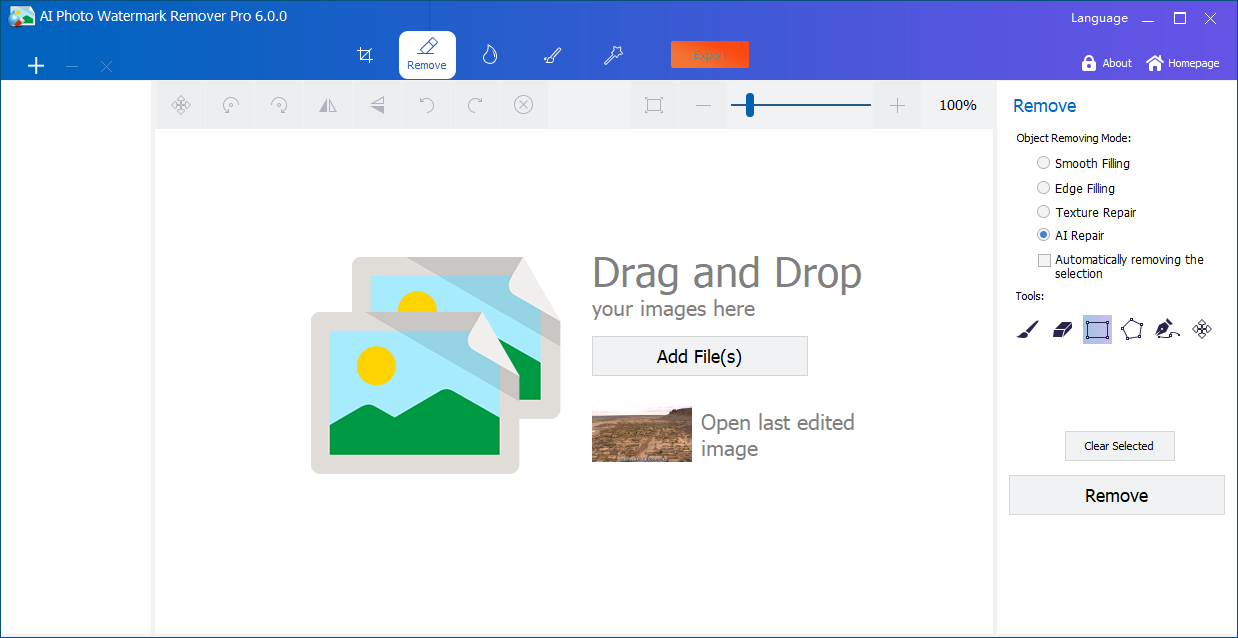
Step 1: Add Image Files
Click the "Add File" button to import the image file, or you can directly drag and drop the image into this area.
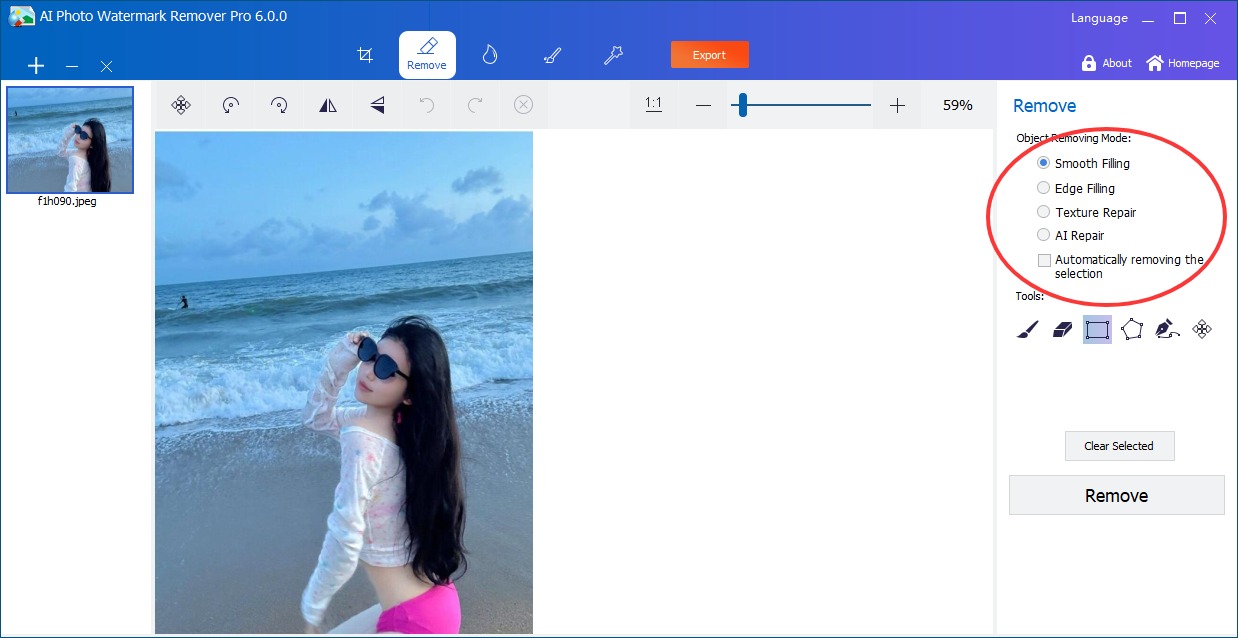
Step 2: Select Watermark Removal Method
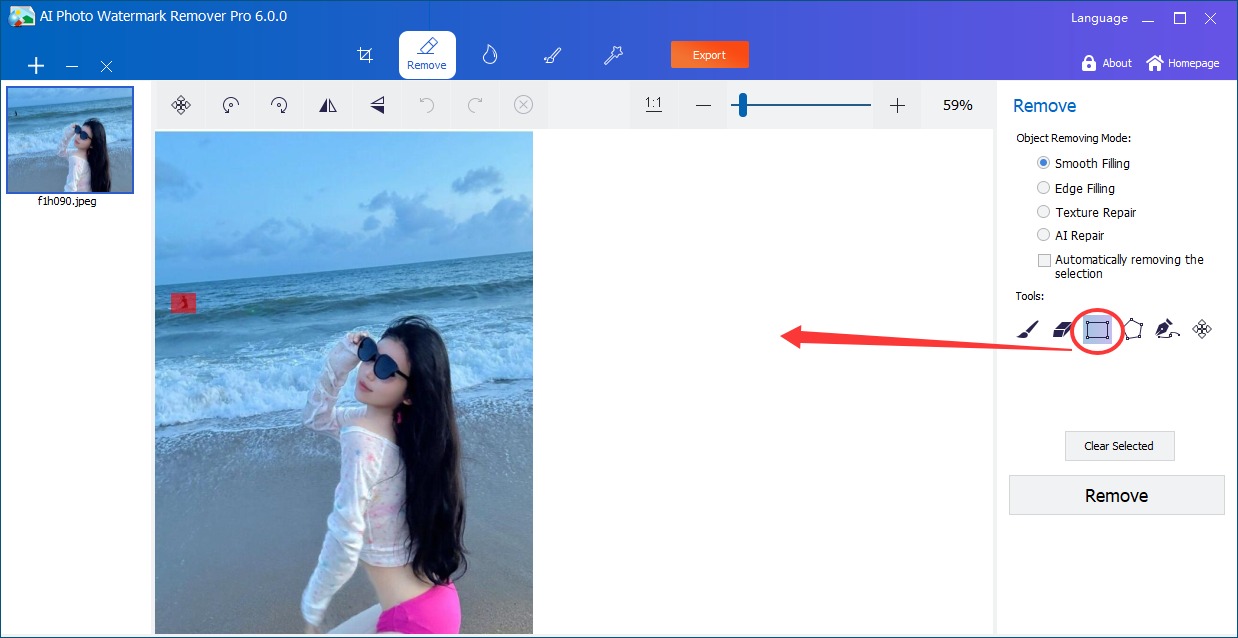
Multiple watermark removal modes are available; then select the area to remove the watermark.
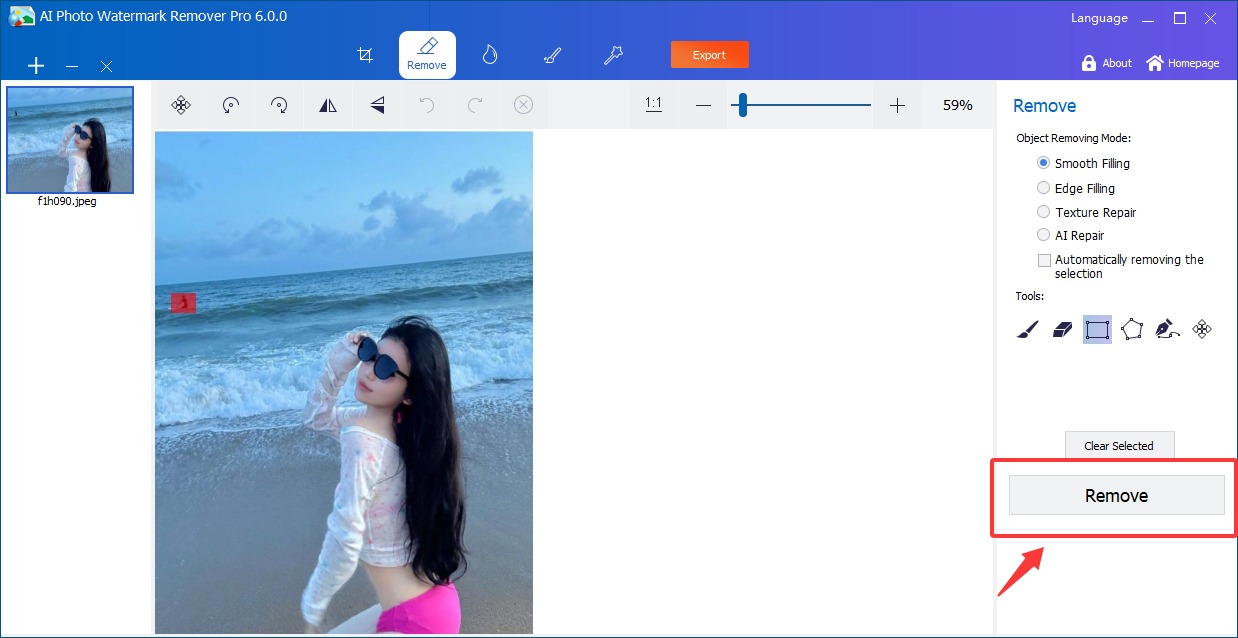
Step 3: Remove Watermark from Photo
Click the "Remove" button to quickly remove watermark from photos precisely with AI.